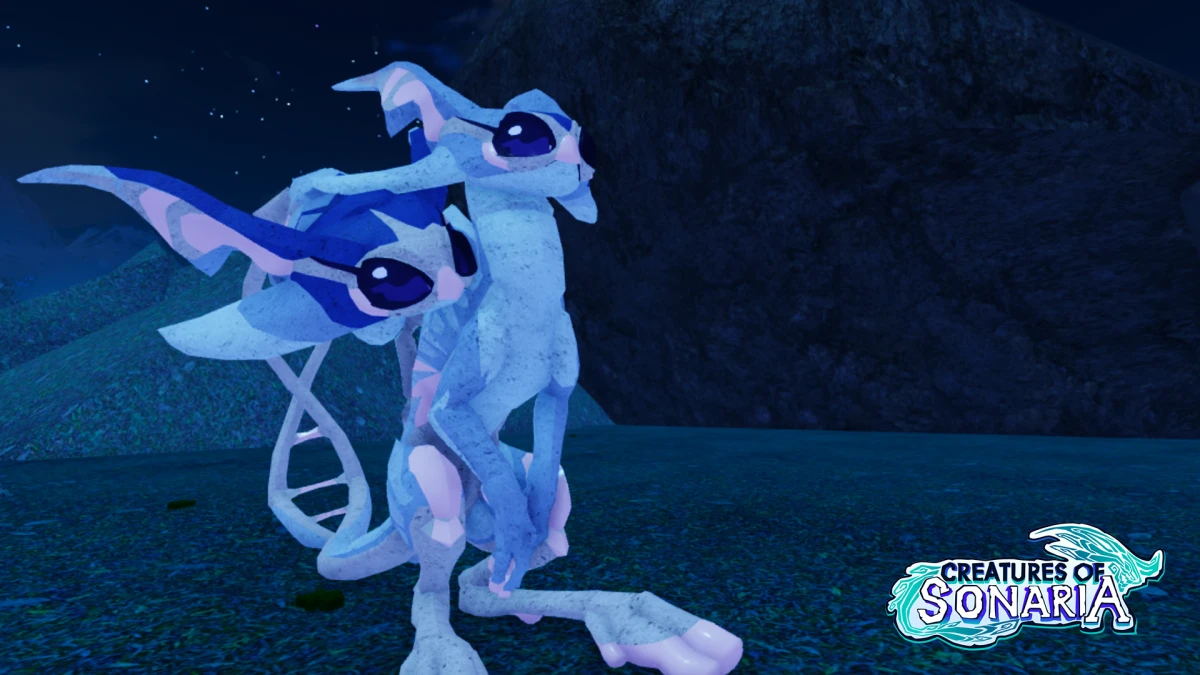
Best Creatures of Sonaria Skins: Creative Design Guide & Tips
Discover how to create stunning Creatures of Sonaria skins. Explore top design tips, community-favorite palettes, and expert advice to customize your creatures.
Published: Creatures of Sonaria Wiki Editorial Team
Table of Contents
Customizing your avatar in the survival ecosystem is more than just an aesthetic choice; it is a way to express your personality and stand out in the vast, dangerous world of Sonaria. Whether you are aiming to blend into the shadows of the deep sea or want to showcase a vibrant, high-contrast design, mastering Creatures of Sonaria skins is an essential skill for every dedicated player.
In this guide, we explore how to elevate your customization game. By understanding the nuances of color palettes, material applications, and community-driven trends, you can transform any creature into a masterpiece. Learning to design Creatures of Sonaria skins effectively not only helps you build a unique identity but also allows you to participate in the thriving artistic community that defines the game's social landscape.
The Art of Aesthetic Customization
Creating a standout look requires more than just picking random colors. Many players fall into the trap of using default "red and black" patterns, but the most successful designs leverage gradients and material interactions to create depth. According to community reports, the most impressive skins often use specific palettes to mimic real-world animals, pop culture icons, or even complex biome-themed camouflage.
Why Skin Design Matters
Identity: Distinguish yourself from the sea of default creatures.
Social Status: High-quality, unique designs often earn compliments and recognition in community servers.
Tactical Advantage: While aesthetic-focused, certain palettes can help you blend into specific environments, such as swamps or dense forests.
Tip
Mastering Gradients
Always test your skin in different lighting conditions. A gradient that looks perfect in the editor might shift significantly when viewed under the game's dynamic sun or in the dim light of a cavern.
Essential Tools and Techniques for Skin Creation
To get started, you need to familiarize yourself with the editor’s interface. The game offers a robust set of tools, but understanding how materials interact with colors is the secret to professional-looking results.
Material and Palette Interaction
Different materials—such as concrete, plastic, or glowing textures—react differently to your chosen colors. For example, using a "concrete" material can help mute overly bright shades, making your design look more realistic and less "flat."
Material Type
Best Use Case
Visual Effect
Plastic
High-contrast, bold designs
Vibrant and smooth
Concrete
Realistic, gritty, or monster-like skins
Matte and textured
Glow
Bioluminescent accents
Emits light in dark areas
Metallic
Robotic or armored themes
Reflective and shiny
Step-by-Step Design Workflow
Select a Theme: Choose a concept (e.g., a specific Pokémon, a horror movie villain, or a seasonal theme).
Apply Base Colors: Start with the primary body colors before moving to intricate details.
Add Fades/Gradients: Use the gradient tools to smooth out transitions between body parts.
Refine with Materials: Apply specific materials to highlight features like eyes, claws, or wings.
Exploring Popular Community Skin Trends
The community is the heartbeat of customization. From recreations of iconic characters to bizarre, "cursed" designs, players are constantly pushing the boundaries of what is possible. Many creators spend hours matching exact color codes found in films or books to ensure their Creatures of Sonaria skins are as accurate as possible.
Popular Community Themes
Pop Culture Cosplay: Recreating characters from series like Demon Slayer, Helluva Boss, or How to Train Your Dragon.
Nature-Inspired: Using palettes to mimic real-world flora and fauna, such as bumblebees or exotic birds.
Horror/Menace: Focusing on realistic flesh tones and dark, intimidating patterns to create "scary" variations.
Comparison of Popular Skin Styles
Style
Difficulty
Focus
Minimalist
Low
Simplicity and clean lines
Cosplay
High
Accuracy to source material
Bioluminescent
Medium
Glow effects and night visibility
Realistic
High
Texture layering and shading
Troubleshooting Common Skin Issues
Even the most experienced designers encounter bugs. A common issue reported by players is the "gradient shift," where colors appear correctly in the editor but look distorted or broken when spawned into the game world.
Gradient Inconsistency: If your gradients look messy, try re-applying the colors without using the eyedropper tool, as it can sometimes grab incorrect material values.
Lighting Artifacts: If a skin looks too bright or too dark, experiment with different materials to counteract the game's ambient lighting.
Saving Errors: Always ensure your skin is saved correctly in the editor before exiting. If a skin fails to save, try a simple design change and save again to force a data update.
Frequently Asked Questions
Q: Where can I find new inspiration for my skins?
A: Many players share their work on the official Fandom Wiki or Pinterest. Looking at community-rated "scariest" or "cleverest" skins can provide excellent starting points for your own Creatures of Sonaria skins.
Q: Can I sell my skin designs to other players?
A: While you cannot directly "sell" the skin file, many players offer commissions where they design a custom look for others in exchange for game currency or items.
Q: How do I make my skin look more realistic?
A: Use matte materials like concrete and avoid using overly neon or saturated colors. Layering multiple shades of the same color can create a natural look that mimics biological textures.
Q: Are there any restrictions on what I can create?
A: Yes, ensure your designs follow the game's community guidelines. Avoid offensive symbols or inappropriate themes, as these can lead to account restrictions.
By consistently practicing these techniques and observing the trends within the community, you will soon find yourself creating high-tier customizations that turn heads across the map. Remember, the best Creatures of Sonaria skins are those that reflect your unique imagination and patience. Happy designing!